
What changes in the Microsoft Copilot app on August 18, 2026?
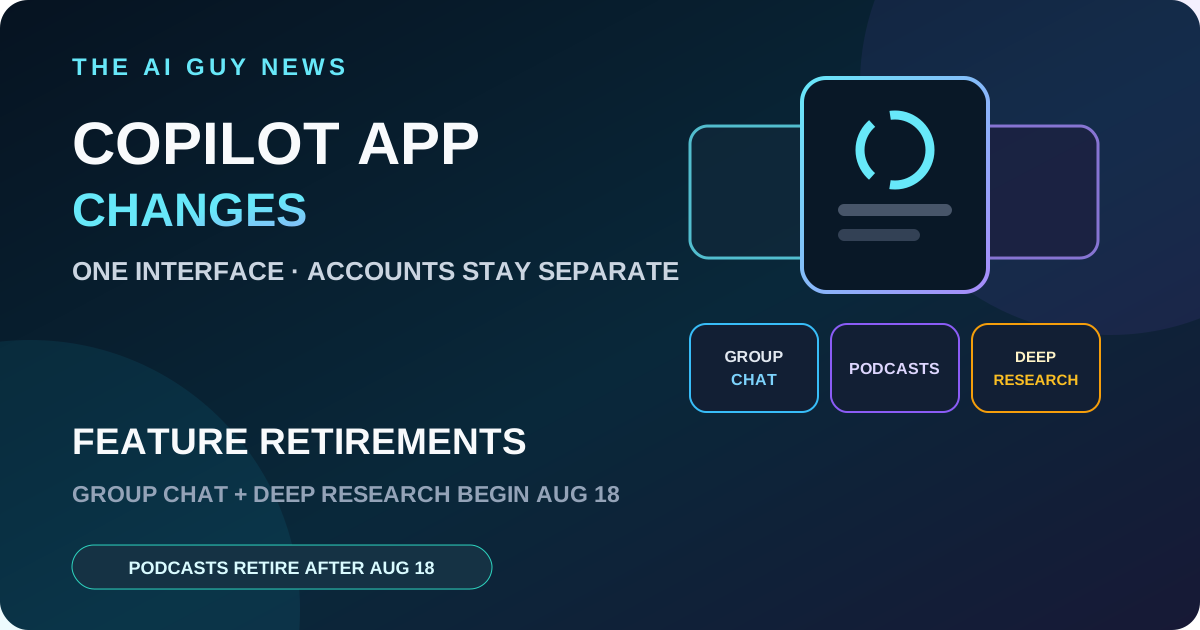
Microsoft is moving Copilot toward one updated app that supports personal, work and school sign-ins while keeping account types and their data separate. Group Chat account updates and the consumer Deep Research retirement begin August 18, while Podcasts retire after August 18. Users who need shared media or downloaded podcasts should preserve them before their account updates.
What Microsoft is changing
Microsoft says the updated Copilot app combines chat and image creation with access to Microsoft 365 work features. Personal, work and school accounts can sign in through the same app, but Microsoft says work and personal experiences remain separate and data does not flow between account types. TechCrunch and The Verge independently confirm the app consolidation.
What happens to chats and files
For people who use both current personal Copilot apps, Microsoft says chat history and created content will be merged into one updated app. Most updates should happen automatically, and users will be guided through the transition. Files from the standalone Copilot app will move to OneDrive. Microsoft also warns that some functions may be temporarily unavailable during rollout.
The three retirement timelines are not identical
Group Chat account updates begin August 18. Group Chats will appear as individual one-to-one chats with Copilot and can no longer continue as shared conversations; prompts and artifacts from other participants will not remain accessible. Consumer Deep Research also starts retiring August 18, while Podcasts retire after August 18. Microsoft directs Deep Research users to separate instructions for existing content.
What to save before the update
Download any Group Chat media shared by other participants that you need to keep. Download individual Podcasts from the podcast library. If Deep Research matters to your workflow, open Microsoft's linked retirement guidance and confirm how your existing reports remain accessible. This is a preservation checklist derived from Microsoft's instructions, not evidence of data loss beyond the documented limits.
What is not changing
One app does not mean one mixed identity. Microsoft says chats, content and data remain separate between personal and work account types. The available evidence does not establish a price change, universal same-minute rollout or a change to every Microsoft 365 entitlement.
The bottom line
The material change is operational: Copilot is becoming one app interface while Group Chat account updates and the consumer Deep Research retirement begin August 18 and Podcasts retire after August 18. Users should preserve wanted shared media and podcasts before their account moves, then verify existing Deep Research access through Microsoft's instructions. The AI Guy has not tested the rollout.
Related tools and pages
Official sources
- Microsoft official Copilot app update guidance ↗Checked 2026-08-14
- TechCrunch independent report ↗Checked 2026-08-14
- The Verge independent report ↗Checked 2026-08-14
This is researched analysis based on public product information. The AI Guy has not independently benchmarked the feature described here.
FAQ
When do the Copilot feature retirements start?
Microsoft says Group Chat account updates and the consumer Deep Research retirement begin August 18, 2026, while Podcasts retire after August 18.
Are personal and work Copilot data being merged?
No. Microsoft says personal and work experiences remain separate by design and data does not flow between account types.
What should Group Chat users save?
Microsoft tells users to download media shared by other participants that they want to keep before their account updates.
Can users keep Copilot Podcasts?
Microsoft says individual podcasts can be downloaded before the feature becomes unavailable after August 18.
More News & Guides
Google AI Mode Changes SEO: How AI Tool Sites Can Still Get Cited
AI searchGoogle's AI answers reduce traditional clicks, but they also create a new opportunity: become the source the answer engine cites.
Read guide →
How to Build an LLM Council for Better AI Decisions
AI workflowA practical framework for comparing answers from multiple AI perspectives before making a high-stakes business, product, or strategy decision.
Read guide →
Best AI Presentation Maker Questions to Ask Before Choosing a Tool
AI presentationsBefore choosing Gamma, Canva, Tome, Beautiful.ai, or another AI presentation tool, ask these practical selection questions first.
Read guide →