
What is Google Sheets Canvas and who can use it?
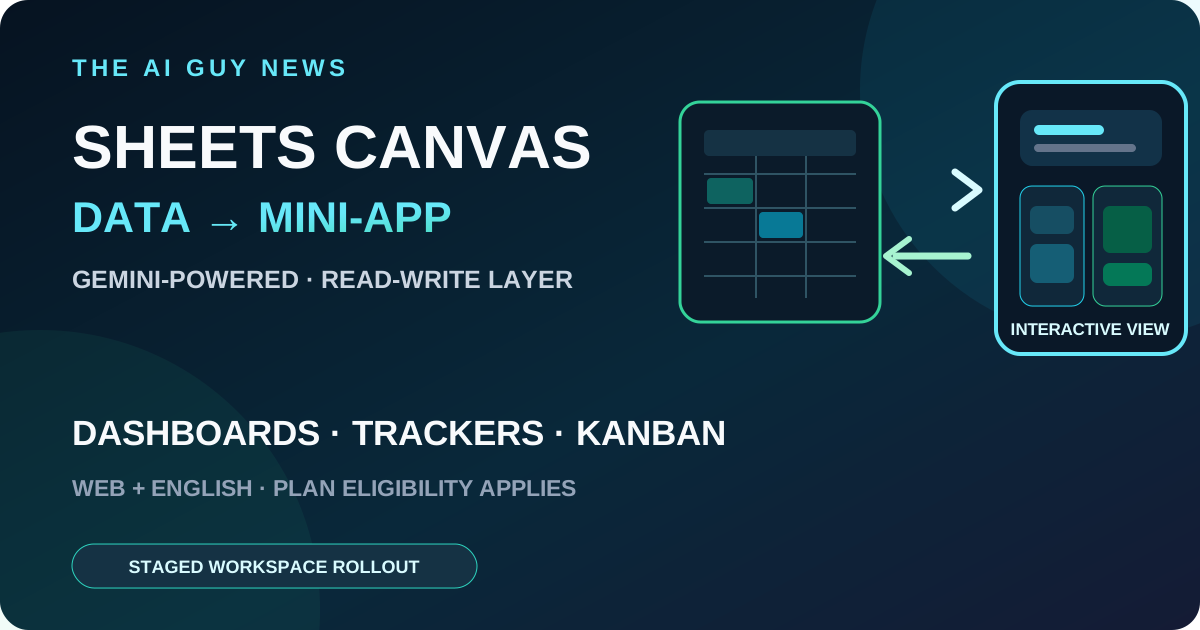
Google has announced Sheets canvas, a Gemini-powered read-write layer that turns spreadsheet data into interactive mini-apps through natural-language prompts. Google says users can create dashboards, trackers and custom layouts inside Sheets while edits remain synced with the underlying sheet. Access is not universal: the current feature is web-only and English-only, and Workspace rollout timing depends on release track and eligible plan.
What Google launched
Google announced Sheets canvas on August 13. It sits as a visual, interactive tab over existing spreadsheet data. A user opens the Gemini side panel, selects Create canvas and describes the view or workflow they want. Android Authority independently confirms the launch and the prompt-based mini-app framing.
The canvas is read-write, not a static chart
Google says changes made in the canvas update the source sheet, while changes in the source sheet appear in the canvas in real time. Users can keep prompting Gemini to adjust layout, design or functionality, and can share the result with normal Sheets controls. The AI Guy has not independently tested synchronization reliability or generation accuracy.
What people can build
Google shows assignment trackers, sports dashboards, seating charts, Kanban boards, forecasting dashboards and whiteboards. These examples make the feature closer to a lightweight interactive workspace than a conventional chart generator, but they do not establish that it replaces AppSheet, Looker Studio, a database, BI platform or general-purpose app builder. Readers comparing dedicated alternatives can explore the linked AI spreadsheet tools directory.
The rollout matrix
Consumer: Google says Sheets canvas is globally available in English to Google AI Pro and Ultra subscribers. Workspace Rapid Release: Google lists Business Standard and Plus, Enterprise Standard and Plus, Google AI Pro for Education and AI Expanded Access; an extended rollout, potentially longer than 15 days, began August 10, 2026. Workspace Scheduled Release: the same listed Workspace and add-on eligibility applies; a gradual rollout lasting up to 15 days begins August 31, 2026.
Language, platform and usage limits still apply
Sheets canvas is currently web-only and requires the account language to be set to English. Google says creating and editing canvases is subject to per-user usage limits, so eligibility does not guarantee immediate access or unlimited use. Availability may also depend on administrator configuration and whether Gemini in Sheets is enabled.
How to evaluate it safely
Start with a copy of a non-sensitive sheet and ask for one bounded view, such as a status dashboard or editorial calendar. Check whether every edit flows both ways, whether formulas and validation remain intact, whether collaborators inherit the intended permissions and whether the canvas stays useful after source data changes. Keep the original workflow until the result has been reviewed.
The bottom line
Sheets canvas is a material creator-workflow update because it puts prompt-built interactive views directly on top of familiar spreadsheet data. The decision is less about whether Gemini can produce an attractive first screen and more about whether the generated layer remains accurate, synchronized and maintainable for a real shared workflow. The AI Guy has not tested the rollout.
Related tools and pages
Official sources
- Google official Sheets canvas announcement ↗Checked 2026-08-14
- Google Workspace rollout notice ↗Checked 2026-08-14
- Android Authority independent launch report ↗Checked 2026-08-14
This is researched analysis based on public product information. The AI Guy has not independently benchmarked the feature described here.
FAQ
What is Google Sheets Canvas?
Google describes it as a Gemini-powered read-write layer that builds interactive mini-apps over spreadsheet data from natural-language prompts.
Who can use Sheets canvas?
Google lists AI Pro and Ultra consumers; Business Standard and Plus; Enterprise Standard and Plus; Google AI Pro for Education; and AI Expanded Access. The current feature is web-only, English-only and subject to per-user usage limits. Rapid Release rollout began August 10, 2026, while Scheduled Release rollout begins August 31, 2026.
Did The AI Guy test Sheets canvas?
No. This is a researched launch brief based on Google's official announcement, its Workspace rollout notice and independent reporting from Android Authority.
More News & Guides
Google AI Mode Changes SEO: How AI Tool Sites Can Still Get Cited
AI searchGoogle's AI answers reduce traditional clicks, but they also create a new opportunity: become the source the answer engine cites.
Read guide →
How to Build an LLM Council for Better AI Decisions
AI workflowA practical framework for comparing answers from multiple AI perspectives before making a high-stakes business, product, or strategy decision.
Read guide →
Best AI Presentation Maker Questions to Ask Before Choosing a Tool
AI presentationsBefore choosing Gamma, Canva, Tome, Beautiful.ai, or another AI presentation tool, ask these practical selection questions first.
Read guide →