
What is ChatGPT Computer History and who can use it?
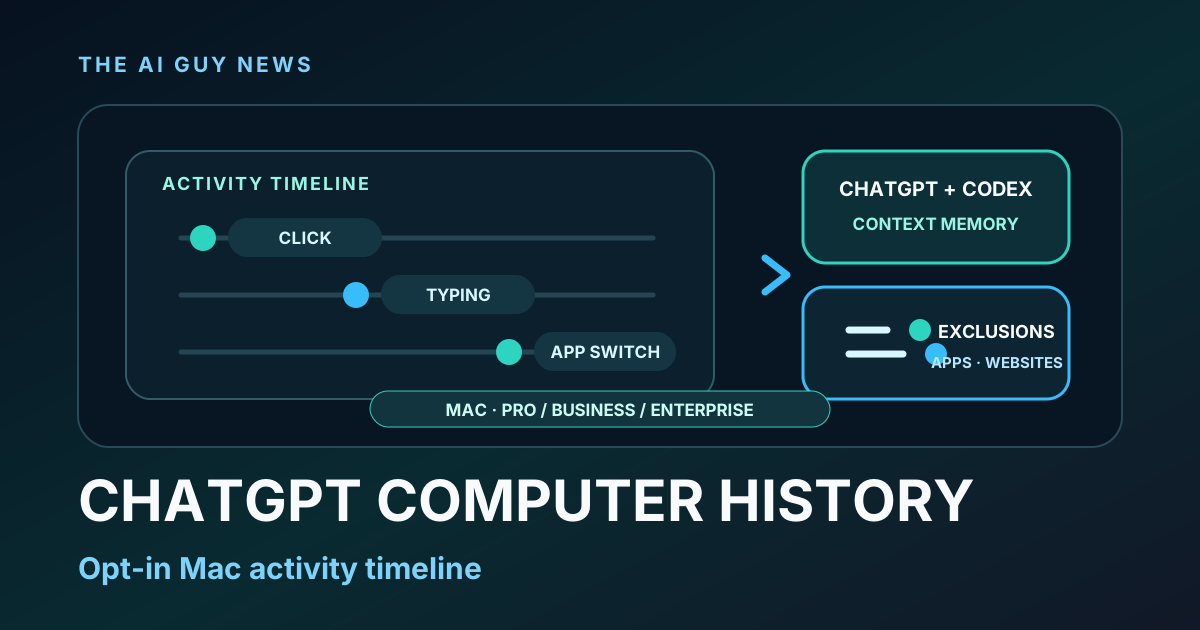
OpenAI released Computer History on August 13 as an opt-in Mac feature for ChatGPT Pro, Business and Enterprise. It turns desktop interaction events into memories and an activity timeline that ChatGPT and Codex can reference. The launch also includes app and website exclusions, review and deletion controls, and an admin-enable requirement for Business and Enterprise teams.
What launched
OpenAI released Computer History in ChatGPT on August 13. The opt-in feature is available in the ChatGPT desktop app on Mac for Pro, Business and Enterprise users; Business and Enterprise admins must enable it before team members can use it. The Verge independently confirmed the launch and its main controls on August 16.
What Computer History changes
OpenAI says Computer History turns desktop interaction activity into memories and a timeline that ChatGPT and Codex can reference when a user asks a question or starts a task. In the company's demo, Codex identifies a recently edited document, uses the context of an earlier group conversation and summarizes recent activity without the user restating each item.
It can suggest repeated workflows
The feature can also suggest skills, automations and scheduled tasks based on repetitive work. Those are OpenAI-described capabilities; The AI Guy has not independently tested their accuracy, reliability or productivity effect.
What it records
OpenAI says Computer History uses interaction events such as clicking, typing and switching apps instead of screen or audio captures. The company's demo says the resulting memory files remain on the user's file system and can be revealed for inspection. That statement should not be stretched into a broader data-handling conclusion: the retained launch material does not establish every processing location, retention period, model-training rule or enterprise-policy detail.
The controls users get
Users can exclude whole apps or specific websites from Computer History through the Mac menu bar or desktop-app settings. OpenAI's demo also shows controls to review captured activity, delete individual entries and clear recent history. OpenAI Product and Engineering manager Ari Weinstein separately said the feature automatically ignores incognito and private browser tabs.
What to check before enabling it
Review the exclusion list and test what appears in the history with a non-sensitive workflow. Business and Enterprise teams should also confirm that an administrator has enabled the feature and that the chosen workflow fits their own policies. OpenAI's current launch description lists only the ChatGPT desktop app on Mac and only Pro, Business and Enterprise plans; the retained sources do not establish Windows availability, consumer Plus or Free access, a wider rollout schedule or separate pricing.
The bottom line
Computer History is a meaningful desktop-workflow change because it gives ChatGPT and Codex a reusable activity timeline instead of requiring users to repeat context manually. Its usefulness depends on careful exclusions and review: start with a reversible workflow, inspect the captured entries and keep the feature's current Mac and plan limits in view.
Related tools and pages
Official sources
- OpenAI Computer History launch announcement ↗Checked 2026-08-16
- OpenAI official Computer History demo ↗Checked 2026-08-16
- OpenAI incognito and private-tab clarification ↗Checked 2026-08-16
- The Verge independent launch report ↗Checked 2026-08-16
This is researched analysis based on public product information. The AI Guy has not independently benchmarked the feature described here.
FAQ
What is ChatGPT Computer History?
OpenAI describes Computer History as an opt-in Mac feature that turns desktop interaction events into memories and an activity timeline that ChatGPT and Codex can reference.
Who can use Computer History?
OpenAI's August 13 launch lists ChatGPT Pro, Business and Enterprise users on Mac. Business and Enterprise administrators must enable the feature first.
Does Computer History capture screenshots or audio?
OpenAI says it captures interaction events such as clicks, typing and app switches rather than screen or audio captures.
Can users control what Computer History records?
OpenAI's demo shows app and website exclusions plus controls to review entries, delete individual items and clear recent history.
Did The AI Guy test Computer History?
No. This is a researched launch brief based on OpenAI's announcement and official demo plus independent reporting from The Verge.
More News & Guides

Google AI Mode Changes SEO: How AI Tool Sites Can Still Get Cited
AI searchGoogle's AI answers reduce traditional clicks, but they also create a new opportunity: become the source the answer engine cites.
Read guide →
How to Build an LLM Council for Better AI Decisions
AI workflowA practical framework for comparing answers from multiple AI perspectives before making a high-stakes business, product, or strategy decision.
Read guide →
Best AI Presentation Maker Questions to Ask Before Choosing a Tool
AI presentationsBefore choosing Gamma, Canva, Tome, Beautiful.ai, or another AI presentation tool, ask these practical selection questions first.
Read guide →